

Notebook Demo Template#
This theme has built-in support and special styling for several major visualization libraries in the Syft ecosystem. This ensures that the images and output generated by these libraries looks good for both light and dark modes. Below are examples of each that we use as a benchmark for reference.
Pandas#
import string
import numpy as np
import pandas as pd
rng = np.random.default_rng(seed=15485863)
data = rng.standard_normal((100, 26))
df = pd.DataFrame(data, columns=list(string.ascii_lowercase))
df
| a | b | c | d | e | f | g | h | i | j | ... | q | r | s | t | u | v | w | x | y | z | |
|---|---|---|---|---|---|---|---|---|---|---|---|---|---|---|---|---|---|---|---|---|---|
| 0 | 1.064993 | -0.835020 | 1.366174 | 0.568616 | 1.062697 | -1.651245 | -0.591375 | -0.591991 | 1.674089 | -0.394414 | ... | -0.378030 | 1.085214 | 1.248008 | 0.847716 | -2.009990 | 2.244824 | -1.283696 | -0.292551 | 0.049112 | -0.061071 |
| 1 | 0.175635 | -1.029685 | 0.608107 | 0.965867 | -0.296914 | 1.511633 | 0.551440 | -2.093487 | -0.363041 | -0.842695 | ... | -1.184430 | -0.399641 | 1.149865 | 0.801796 | -0.745362 | -0.914683 | -0.332012 | 0.401275 | 0.167847 | -0.674393 |
| 2 | -1.627893 | -1.132004 | -0.520023 | 1.433833 | 0.499023 | 0.609095 | -1.440980 | 1.263088 | 0.282536 | 0.788140 | ... | 1.330569 | 0.729197 | 0.172394 | -0.311494 | 0.428182 | 0.059321 | -1.093189 | 0.006239 | 0.011220 | 0.882787 |
| 3 | 0.104182 | -0.119232 | 1.426785 | 0.744443 | 0.143632 | 0.342422 | 0.591960 | 0.653388 | -0.221575 | -0.305475 | ... | -0.117631 | -0.705664 | -0.041554 | 0.365820 | 1.054793 | 0.280238 | -0.302220 | -1.105060 | -1.344887 | -0.186901 |
| 4 | 0.404584 | 2.172183 | -0.498760 | -0.537456 | -0.174159 | -0.421315 | -0.461453 | -0.456776 | -0.811049 | 0.470270 | ... | -0.970498 | -0.424077 | 0.017638 | 0.764396 | -0.055982 | 0.369587 | 0.566487 | -0.709265 | 0.041741 | 1.427378 |
| ... | ... | ... | ... | ... | ... | ... | ... | ... | ... | ... | ... | ... | ... | ... | ... | ... | ... | ... | ... | ... | ... |
| 95 | 0.730475 | 0.638252 | -1.327878 | 0.402921 | 0.300998 | -2.103696 | 0.177649 | 0.226409 | 0.391869 | -2.687118 | ... | -1.019080 | 0.449696 | 0.603108 | 1.325479 | -0.354819 | -0.122947 | -0.555267 | -0.319204 | 1.543449 | 1.219027 |
| 96 | -1.563950 | -0.496752 | -0.135757 | 1.468133 | -0.255600 | -0.551909 | 1.069691 | 0.656629 | -1.674868 | -0.192483 | ... | -0.197569 | 1.751076 | 0.536964 | 0.748986 | -0.631070 | -0.719372 | 0.053761 | 1.282812 | 1.842575 | -0.250804 |
| 97 | 0.116719 | -0.877987 | -0.173280 | -0.226328 | 0.514574 | 1.021983 | -0.869675 | -1.426881 | 1.028629 | -0.403335 | ... | -0.328254 | 1.291479 | 0.540613 | 0.876653 | -0.129568 | -0.756255 | 0.614621 | 0.747284 | -0.416865 | -1.230327 |
| 98 | 0.744639 | 1.312439 | 1.144209 | -0.749547 | 0.111659 | -0.153397 | -0.230551 | -1.585670 | -0.279647 | 0.482702 | ... | 1.193722 | -0.229955 | 0.201680 | -0.128116 | -1.278398 | -0.280277 | 0.109736 | -1.402238 | 1.064833 | -2.022736 |
| 99 | -2.392240 | -1.005938 | -0.227638 | -1.720300 | -0.297324 | -0.320110 | -0.338110 | -0.089035 | -0.009806 | 1.585349 | ... | 0.717063 | 0.589935 | 0.718870 | 1.777263 | -0.072043 | -0.490852 | 0.535639 | -0.009055 | 0.045785 | 0.322065 |
100 rows × 26 columns
IPyWidget#
import pandas as pd
import numpy as np
import ipywidgets as widgets
from IPython.display import display
tab = widgets.Tab()
descr_str = "Hello"
title = widgets.HTML(descr_str)
# create output widgets
widget_images = widgets.Output()
widget_annotations = widgets.Output()
# render in output widgets
with widget_images:
display(pd.DataFrame(np.random.randn(10,10)))
with widget_annotations:
display(pd.DataFrame(np.random.randn(10,10)))
tab.children = [widget_images, widget_annotations]
tab.titles = ["Images", "Annotations"]
display(widgets.VBox([title, tab]))
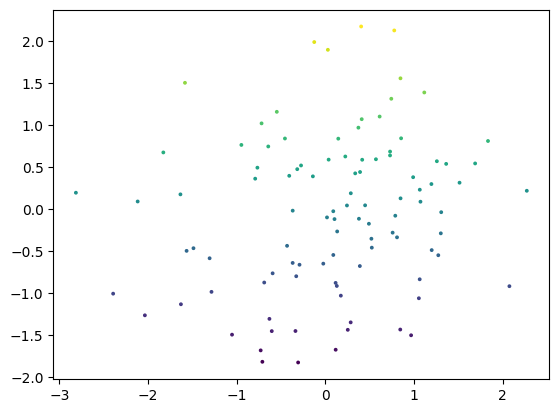
Matplotlib#
import matplotlib.pyplot as plt
fig, ax = plt.subplots()
ax.scatter(df["a"], df["b"], c=df["b"], s=3)
<matplotlib.collections.PathCollection at 0x7f863497f8b0>
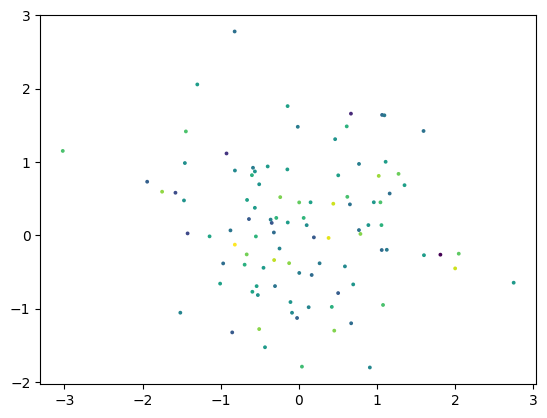
rng = np.random.default_rng()
data = rng.standard_normal((3, 100))
fig, ax = plt.subplots()
ax.scatter(data[0], data[1], c=data[2], s=3)
<matplotlib.collections.PathCollection at 0x7f8632894490>
Plotly#
The HTML below shouldn’t display, but it uses RequireJS to make sure that all works as expected. If the widgets don’t show up, RequireJS may be broken.
import plotly.io as pio
import plotly.express as px
import plotly.offline as py
pio.renderers.default = "notebook"
df = px.data.iris()
fig = px.scatter(df, x="sepal_width", y="sepal_length", color="species", size="sepal_length")
fig
Xarray#
Here we demonstrate xarray to ensure that it shows up properly.
import xarray as xr
data = xr.DataArray(
np.random.randn(2, 3),
dims=("x", "y"),
coords={"x": [10, 20]}, attrs={"foo": "bar"}
)
data
<xarray.DataArray (x: 2, y: 3)> Size: 48B
array([[-0.2592445 , -0.02548353, 0.16308769],
[ 0.61187389, 0.84848844, 1.02819963]])
Coordinates:
* x (x) int64 16B 10 20
Dimensions without coordinates: y
Attributes:
foo: baripyleaflet#
ipyleaflet is a Jupyter/Leaflet bridge enabling interactive maps in the Jupyter notebook environment. this demonstrate how you can integrate maps in your documentation.
from ipyleaflet import Map, basemaps
# display a map centered on France
m = Map(basemap=basemaps.Esri.WorldImagery, zoom=5, center=[46.21, 2.21])
m